

About
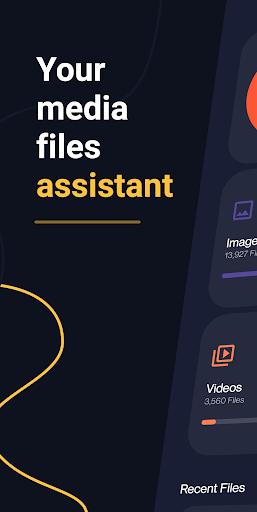
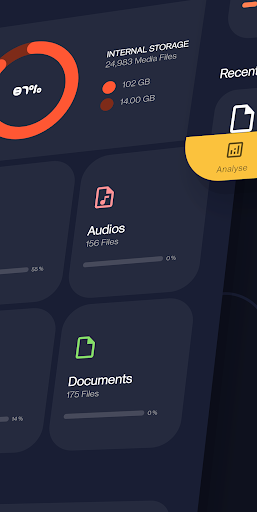
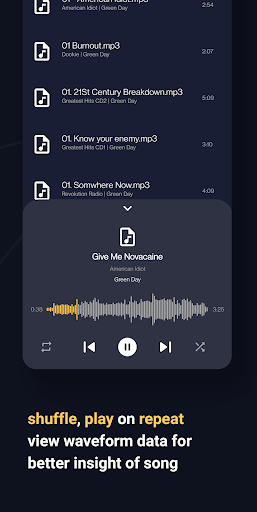
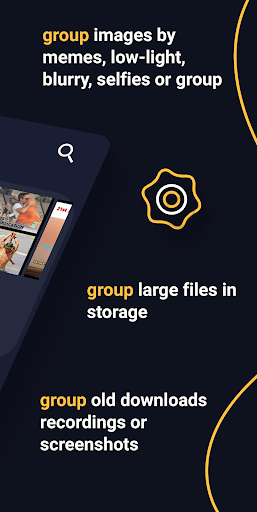
From the developers of open source app Amaze File Manager. An open source app to view, manage and analyse internal storage media files with built-in media players, without any ads and with a beautiful UI. Analyse: - Analyse storage for junk files to delete - Group similar images, memes, low-light images, blurred images, selfies or group images - Group large or duplicate files in storage - Group old downloads, recordings or screenshots - Group unused / most used / least used installed apps, large apps or games, apps that use most data - Clear RAM for better performance Media Files: - View / group / sort in list or grid - Delete / share / go to location - Open using inbuilt player - Jump to any date instantly - Search for any media file instantly - Cast on tv Music Player: - Shuffle, play on repeat - View waveform data for better insight of song - Change playback pitch or speed - Add, remove songs to playlists Video Player: - Play videos with gestures to skip, manage volume, brightness within player - View in picture-in-picture mode - Supports gesture to play, pause, skip, change brightness or volume within player - Play in background - Lock gestures or orientation - Search and download online subtitles within player - Change playback aspect ratio, pitch and speed Image Viewer: - View, share or delete images - Edit using inbuilt image editor - Add stickers, text, rotate, crop or draw over images - View image histogram or other metadata Document Viewer: - View pdf, epub, docx, xps, oxps, cbz, fb2 and mobi files using inbuilt viewer - Search for text in viewer - Switch between dark or light mode in pdf viewer - Bookmark a page in your epub digital book Transfer: - Transfer data between devices through wifi p2p - High transfer speeds using android Wifi-direct Contact: Telegram - https://t.me/AmazeFileManager Issue tracker: https://github.com/TeamAmaze/AmazeFileUtilities-Issue-Tracker/issues Source Code: https://github.com/TeamAmaze/AmazeFileUtilities Note: This app is based on a trial period post which you're supposed to subscribe/ get lifetime membership to continue using the app.
Info
Genre
Tools
Rating
Everyone
Release
Apr 8, 2022
Last Update
Changelog:<br>- Bugfixes in video and audio players<br>- Analyse list of apps growing in size<br>- Improved performance<br>- Update translations<br>- Other bugfixes





Reviews
Luke Medlen
Works well.
Jong min Yi
fast enough in Speed. convinient and Easy to use in usability. intuitiveness most of all in compact size then. thums up
Affan Hanafiah
i love open files in dialog view
Sam
works nice though costs 10$ or monthly fee. if you want an ad free file and everything viewer works great. and probably everything you could look for
Brian K (TheLastMillennial)
On first launch it states a trial has expired.
Private ???
🥇 bestfile manager #amaze file utilities
Ann Walker
It was not what i was looking 4
Vikram Shankar Mathur
Handy utility.
Peter Andro
Say trial expired didn't even start
Aistro
I subscribe for lifetime and next time when open it it want again to subscribe or close. It also is not file manager the file manager I download for free just a ui which show a pictures which nowhere to be found or used. It bug and steal my money. Give my money back
KNLKERNG
Everything about this app is great except the colour choice of the UI. 'Dev' you might love the yellow to the bottom of your soul that's a good thing, but at least give us the option to change the color. Amaze file manager has the option to do so why not the utilities app? Next app update will bring the ability to change UI colour I hope. Thanks. ⭐⭐⭐ until the yellow is gone.